Run codex resume --last and you're back in your last Codex chat. Codex keeps every session until you delete it yourself, which is why that works months later.
When you do delete one, codex delete removes the session's files but leaves every message you typed in ~/.codex/history.jsonl, including any key you pasted.
codex resume, --last and --all
codex resume            # pick from sessions started in this folder
codex resume --last     # reopen the latest one from this folder
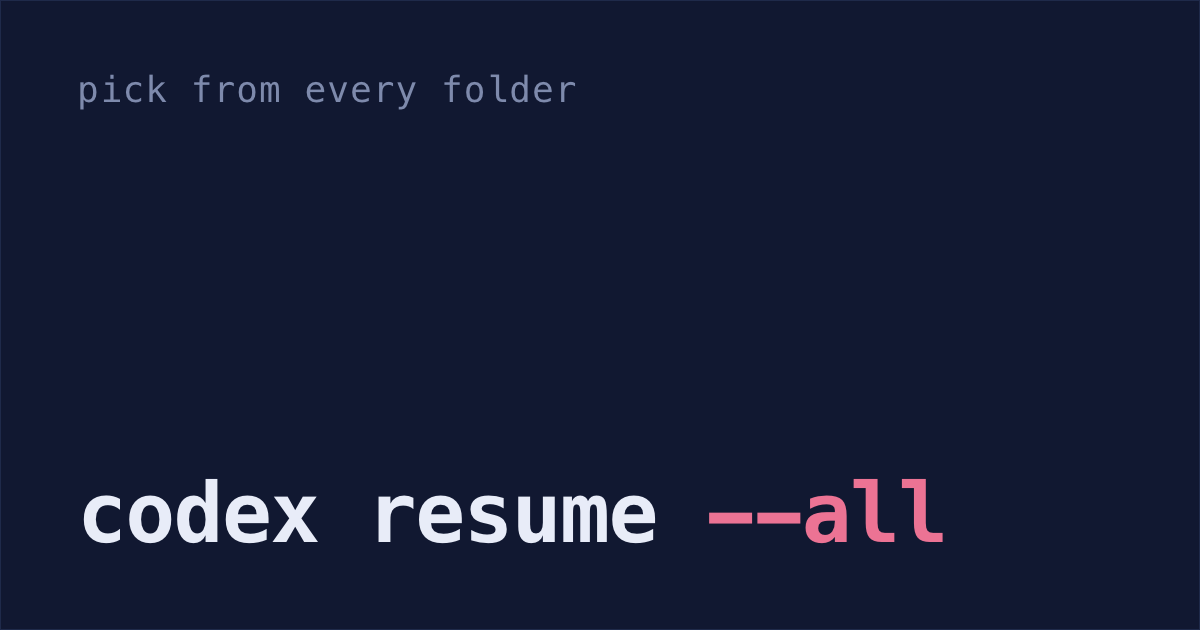
codex resume --all      # pick from sessions in every folder
codex resume <id>       # one session, by its ID or its name
There's no codex continue command: codex resume --last is the one that continues where you left off. To give it a new instruction straight away, put it after the ID or name: codex resume <id> "now add tests".
While the list is open, type to filter it. It matches each session's first message, name, ID, git branch and folder.
Runs you started with codex exec are left out unless you add --include-non-interactive.
Archived sessions only show when you switch the list's Status to Archived. Press Tab until Status is highlighted, then the left or right arrow. Enter on an archived session restores it.
Give a session you'll want again a name with /rename. Next time, codex resume <name> opens it, with no ID to copy.
If you resume from a different folder than the one the session was last working in, Codex asks which folder to use. To skip the question, add this to ~/.codex/config.toml:
Inside Codex, /resume opens the same list. codex fork (or /fork inside a session) starts a new session from an old one and leaves the original as it was. To carry on a codex exec run with a new prompt, use codex exec resume --last "now add tests".
Everything here is checked against Codex 0.157.1, released 26 September 2026, and 0.165.0, released 27 October 2026, which still takes the same options.
Provider filter: why codex resume shows no sessions
If the picker comes up empty in a folder where you know you worked, the sessions are almost certainly still on disk.
The picker asks for the sessions recorded under the model provider you're using now, and leaves out the rest (resume_picker.rs). Change model_provider in ~/.codex/config.toml, or take it out, and the sessions recorded under the old provider drop off the list. People hit this: openai/codex #20165, open since 29 April 2026, reports the same empty list after a change of provider.
--all won't bring them back. It turns off the folder filter and nothing else, which its help text says in its own words: "Show all sessions (disables cwd filtering and shows CWD column)". The ID still opens any of them:
codex resume 01a0e472-4f9d-7f43-8b14-0d0f667339d0To find that ID when the list won't show it, search the session files for words you typed.
Three more reasons a session you had is missing from the list:
- It's archived.
codex archivetakes a session out of the default list, and switching the list's Status to Archived brings it back into view. CODEX_HOMEpoints somewhere else. Codex reads and writes sessions under that folder instead of~/.codex, so aCODEX_HOMEset in one shell and not another gives you two separate lists.echo $CODEX_HOMEsays which one you're in.- You started it in another worktree. The list shows the folder you're in, so a session from a sibling worktree isn't there. From 0.165.0, in a repo with more than one linked worktree, the list's filter gains a Repo option that covers every worktree of the repo (release notes), and
codex resume --alldrops the folder filter altogether.
Session files in ~/.codex/sessions
Inside ~/.codex, each session file is saved in a folder for the day it was written. A session file's path looks like this:
sessions/2026/09/27/rollout-2026-09-27T21-58-11-01a0e472-4f9d-7f43-8b14-0d0f667339d0.jsonlThe long part after the date and time is the session ID, the one codex resume takes.
Archived sessions move to ~/.codex/archived_sessions/. If you set the CODEX_HOME environment variable, all of this lives there instead of ~/.codex.
Codex also keeps ~/.codex/thread_history_1.sqlite in that folder, and reads it to page through a long chat. An open issue describes it as "a projection replayed from the rollout JSONLs", holding each thread's position in them as a byte offset, and reports that deleting a session's rollout file leaves its row behind. codex migrate-rollouts fills the database in from sessions written before it existed: "Inspect or migrate legacy local sessions to paginated thread history."
~/.codex/history.jsonl is a separate file: one line for every message you typed in the interactive codex, with that session's ID and the time. It's what the up arrow and Ctrl+R search in Codex's message box. Codex's replies and the commands it ran aren't in it; those are in the session files.
Searching old chats with grep
The resume filter won't find it: it only matches the fields above. If what you remember was said halfway through a chat, search the files instead. They're plain text, archived sessions included:
grep -rli "rate limit" ~/.codex/sessions ~/.codex/archived_sessions | sed -E 's/.*rollout-[0-9T-]{19}-([0-9a-f-]{36}).*/\1/' | sort -uThat prints the ID of every session that mentions "rate limit". Paste one into codex resume <id> and you're back in it. Claude Code's transcripts take a different search: how to search your Claude Code history.
codex delete keeps your prompts in history.jsonl
codex archive <id> (or /archive) moves a session to archived_sessions/ and out of the default resume list. codex unarchive <id> brings it back.
codex delete <id> removes the session's files for good. It asks you to confirm first; --force skips that, but only with the full ID, not a name.
It doesn't touch history.jsonl, though. Codex only ever adds lines to that file or trims the oldest ones. So if you pasted an API key into a session, the key is still on your disk after you delete that session.
To clear one session's lines from history.jsonl:
- Quit Codex, so nothing writes to the file while you edit it.
Find the session's ID. Search for words you typed in it, and the ID is at the start of each matching line:
grep "words you typed" ~/.codex/history.jsonlSet the ID, then run all three lines.
umask 077and writing back into the same file keep both copies readable only by you, the way Codex set the file up:id=01a0e472-4f9d-7f43-8b14-0d0f667339d0 (umask 077; grep -v "\"session_id\":\"$id\"" ~/.codex/history.jsonl > ~/.codex/history.tmp) cat ~/.codex/history.tmp > ~/.codex/history.jsonl && rm ~/.codex/history.tmpWithout
umask 077, that temporary copy of every message you typed is readable by anyone with an account on the machine until the last line deletes it.Check the lines went. Run this before and after step 3; the count should drop by the number of messages you typed in that session:
wc -l ~/.codex/history.jsonlIf it doesn't move, the ID in your
grep -vdoesn't match the file, so nothing was removed.Delete Codex's log file too, while Codex is closed.
~/.codex/logs_2.sqlitecan hold what you typed until Codex drops rows older than 10 days. Codex makes a new, empty one next time:rm -f ~/.codex/logs_2.sqlite ~/.codex/logs_2.sqlite-wal ~/.codex/logs_2.sqlite-shm- Change the key anyway. It went to OpenAI with your message, and these steps only clean your own disk.
Stop Codex saving history
To stop Codex writing history.jsonl, add this to ~/.codex/config.toml:
Session files are still saved; this setting only covers the typed-message file. For a single task that leaves no session file at all, run it as codex exec --ephemeral "your task". The interactive codex has no switch like that.
To keep the file but cap its size, set max_bytes under [history] instead. Codex drops the oldest lines once the file is bigger than that.
Claude Code and Gemini CLI delete unused sessions
Claude Code deletes terminal sessions you haven't used in 30 days by default. Sessions you started or last continued in Claude Desktop or Cowork are kept. Gemini CLI deletes sessions you haven't touched in 30 days too. The guides for those: keeping Claude Code sessions, where Claude Code stores them and resuming Gemini CLI sessions.
Cursor keeps its chats on your computer too: where Cursor chat history is stored.
Shabash, the Mac app I'm building, reads your Claude Code, Cursor and Codex sessions and sorts them into threads, one for each piece of work. To try it, book a 30-minute call.