Your Cursor chats live on your own computer. Cursor staff say they aren't synced to any server, so if a chat is lost, Cursor can't send it back.
A Cursor staff member put it plainly in April 2026, after a restart emptied someone's agent transcripts: "There is no supported way to recover lost transcripts."
But chats that vanish after you rename or move a project are still on your disk. Cursor ties every chat to the project folder's path, so a renamed folder opens as a brand new project with zero chats. Cursor staff suggest moving the folder back. The person who reported the bug said that didn't work for them.
Agents sidebar holds the chat list in Cursor 3.x
Some of the people asking where their history went are looking in the place it used to be. A reply on Cursor's forum told one of them in April 2026: "In Cursor 3.x, chat history has moved to the Agents sidebar (the left panel)."
If the list is there and a chat you want isn't, it may still be in Cursor's files.
Cursor's chat files on Mac, Windows and Linux
Everything sits in Cursor's user folder:
| OS | Folder |
|---|---|
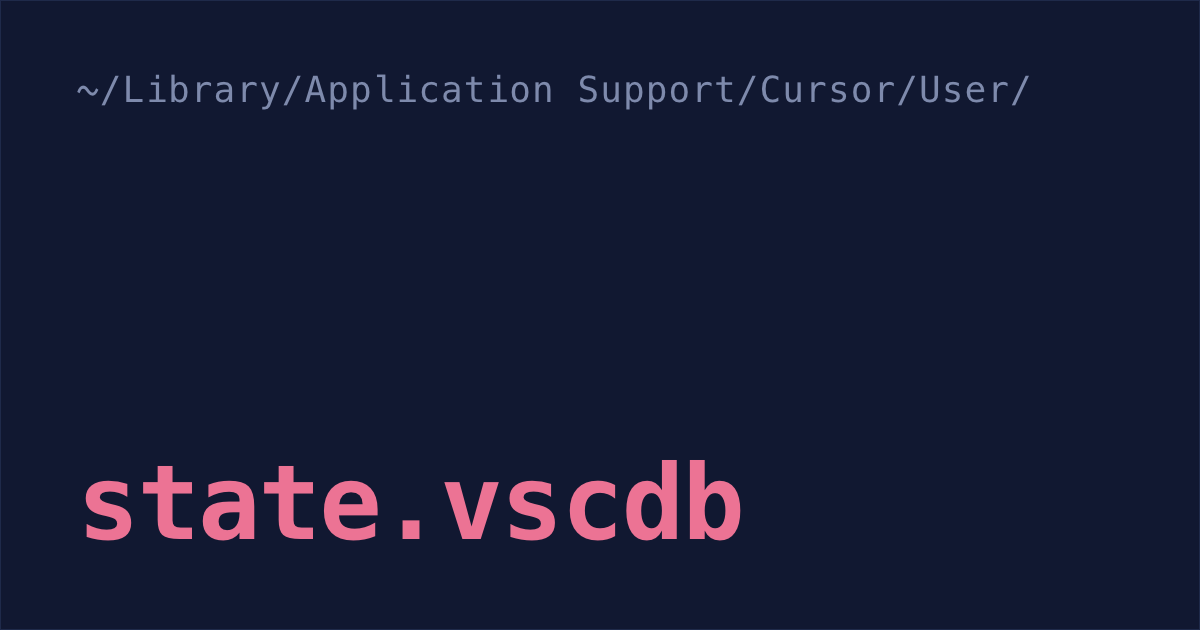
| macOS | ~/Library/Application Support/Cursor/User/ |
| Windows | %APPDATA%\Cursor\User\ |
| Linux | ~/.config/Cursor/User/ |
The chats are in SQLite databases, all named state.vscdb. The one in globalStorage/ holds the messages for every project. Since Cursor 3.0 in April 2026, it also holds an index that ties chats to projects, but only chats you've opened or started since updating to 3.0.
Each project also has a folder in workspaceStorage/ with a workspace.json inside. That file records which project folder it belongs to, which is handy when you've forgotten where a project used to live.
Agent chats get written a second time as plain files in ~/.cursor/projects/<project>/agent-transcripts/ (%USERPROFILE%\.cursor\projects\ on Windows). Depending on the version, each chat is a .txt file (community notes) or a folder of .jsonl files, one JSON record per line (forum report). Subagent chats go in a subagents/ subfolder (agentsview issue). These are much easier to read than the databases.
Cursor doesn't document any of this, so an update can change it. The layout comes from Cursor staff replies on its forum, bug reports from tools that read these files, and the cursaves community notes linked above.
Renamed or moved project folders
A Cursor staff member explained that "chat history is tied to the folder path, so when you rename or move a project, Cursor treats it as a new workspace." The old chats are still stored, and their suggestion is to "restore the previous folder name or location", which "should restore the chat history link."
It doesn't always. The person who reported the bug replied that restoring the old name "has not restored the chat history link", and nobody in the thread said it worked. That was on Cursor 2.0, before the 3.0 storage change. Try it anyway: it touches nothing inside Cursor's own files.
If you don't remember the old path, list every folder Cursor has opened (macOS shown):
grep -h folder "$HOME/Library/Application Support/Cursor/User/workspaceStorage"/*/workspace.json- Quit Cursor, then move or rename the project back to exactly that path.
- Open the folder in Cursor again and check the chat list.
If the chats don't come back, they're still in Cursor's files. The community tool cursaves can copy chats from one workspace to another on the same machine. Back up Cursor's folders first (the cp commands under backing up Cursor chats below), because it writes to Cursor's database.
Before you rename a project again, export the chats you care about: open each one and run Export Chat from the Command Palette. Cursor staff recommend exporting before you move a project.
"Loading Chat" forever after an update
Here the chat list shows, but every chat spins on "Loading Chat". Sometimes Cursor has moved the old database aside as a file named state.vscdb.corrupted.<number>, and a community guide shows how to put it back.
Some people in that thread didn't have that file, so check first (macOS shown; on Windows the folder is %APPDATA%\Cursor\User\globalStorage):
ls "$HOME/Library/Application Support/Cursor/User/globalStorage/" | grep corruptedIf that prints nothing, this fix can't help you. If it prints a file name:
- Quit Cursor.
Move the current database into a new folder, along with its
state.vscdb-walandstate.vscdb-shmfiles and its backup, if you have them (newer versions stopped writing the backup). Leaving the-walfile behind would pair it with the wrong database:cd "$HOME/Library/Application Support/Cursor/User/globalStorage" mkdir old && mv state.vscdb old/ for f in state.vscdb-wal state.vscdb-shm state.vscdb.backup; do [ -f "$f" ] && mv "$f" old/; doneRename the
.corruptedfile tostate.vscdb, using the exact namelsprinted:mv state.vscdb.corrupted.<number> state.vscdb- Open Cursor.
Empty transcripts after a restart
Cursor staff said that writing transcripts to disk "is not atomic", so if the computer restarts in the middle of a write, the files can end up empty or lost. There is "no supported way to recover lost transcripts."
First open Cursor and look at the chat list. Cursor loads chats from state.vscdb, not from the transcript files (community notes), so a chat can still open even when its transcript is empty. If it does, run Export Chat on it now. For the person who reported the bug, the chats were gone from the chat list too, and nobody in the thread got them back.
Cursor staff's advice was to update, since "chat persistence has been improved" in newer versions.
Chats on another computer or over SSH
Open the same project on your other laptop and the chat list is empty. Even with Remote SSH, where the code lives on a server, the chats stay on your own computer (community notes). A Cursor staff member said that "when you switch machines, the context doesn't move over, even if your code and environment are on the same remote server."
Cursor has no sync for chats, and people keep asking for one. A community tool, cursaves, copies them between machines through a private git repo or S3 bucket. Use a private one: the copies hold your full prompts and file paths.
Backing up Cursor chats
SpecStory saves every chat as a Markdown file for you, and you set it up once:
- In Cursor, open Extensions, search for SpecStory, and install the one published by SpecStory. The core extension is free, and autosave is on by default: every chat becomes a Markdown file in
.specstory/history/inside your project. After that, a renamed folder or a broken database doesn't take your chats with it. Keep those files out of git. Anything you pasted into a chat, like an API key, is now in them:
echo ".specstory/" >> .gitignore- Save the chats Cursor still has. Open the Command Palette, run
SpecStory: Save AI Chat History, and pick them. It can't bring back chats Cursor has already lost.
This doesn't cover your other computers. The Markdown files stay in that project folder, on that machine.
If you'd rather not install anything, Cursor can export one chat at a time: open the chat, open the Command Palette (Cmd+Shift+P on a Mac) and run Export Chat to get a Markdown file (Cursor staff). Do it for the chats you'd hate to lose.
If you'd rather have a full copy, run this with Cursor quit (macOS shown):
cp -R "$HOME/Library/Application Support/Cursor/User" "$HOME/cursor-backup-$(date +%F)"
cp -R "$HOME/.cursor/projects" "$HOME/cursor-backup-$(date +%F)/projects"
Don't edit the databases in place. To look inside one, copy it first and open the copy with sqlite3.
Deleting archived chats in Cursor
Archive hides a chat from the list, but the chat stays in Cursor's database. In the Agents window, Archive is the only choice: a reply on Cursor's forum in June 2026 said Delete "was intentionally replaced with Archive so you don't accidentally lose your chat history." As of April 2026, Cursor had no setting that deletes old chats on a schedule (forum).
To delete every chat you haven't touched in a while, archived ones included:
- Open the Command Palette (Cmd+Shift+P on a Mac) and run
Developer: Delete Old Chats.... - Type a number of days. It suggests 30, and counts from the last time each chat changed.
- It tells you how many chats that is. Pick "Yes, delete" to go ahead.
When it's done, it also clears the storage the deleted chats were using, so the database file should get smaller. That's how it works in Cursor 3.23. Export any chat you want to keep before you run it (see above).
Check that it worked. In July 2026, on Cursor 3.13, someone ran it and it reported 175 chats deleted, but they were back after a reload and the 2.2 GB database didn't shrink. The forum reply called that a bug the team is tracking. If yours come back, delete them one at a time as below.
To delete a single chat, open the chat history in the editor window, not the Agents window, click the three dots on the chat, then Delete (April reply).
Don't delete state.vscdb yourself to make room: the April reply warns that breaks your history and leaves chats stuck on "Loading Chat".
Share links on Teams and Enterprise
On those two plans, the Share icon in a chat's header makes a link to the full conversation (Cursor docs). Teams links can be public; Enterprise links are team-only by default. You get 50 a day, and you manage them at cursor.com/dashboard under Shared Transcripts.
Read the chat before you share it. Cursor tries to hide API keys and passwords, but its docs say it "can miss secrets."
Claude Code sessions in Cursor's terminal
If you also run Claude Code, in Cursor's terminal or anywhere else, it saves each terminal session as a plain file in ~/.claude/projects/ and deletes it after 30 days by default (docs). More on that in where Claude Code stores sessions.
Shabash, the Mac app I'm building, sorts your Cursor chats into threads, one for each piece of work, and one button reopens a thread in the agent you last used for it. It reads your Claude Code and Codex sessions too, so work you split across them can land in the same thread. To try it, book a 30-minute call.